Hey Reachy
Unofficial — not affiliated with Pollen Robotics or Hugging Face
Joystick teleop, the robot's camera and two-way audio, a live 3D twin, recorded moves, a soundboard and the robot app store — for the Reachy Mini on your desk, straight over your own network with no account to create. Wireless, Lite, or no robot at all: the app carries a simulator of its own.
Download on the App Store Public beta on TestFlight Notarized Mac build
Not Pollen's own app
Pollen Robotics publishes an official app for Reachy Mini on iPhone and Android, and calls it the main way to use the robot. It reaches the robot through the Hugging Face relay, signed in with a Hugging Face account. If that is the app you were looking for, it is Reachy Mini on the App Store.
Hey Reachy is a different app, written by an independent developer, and it is not affiliated with, endorsed by or supported by Pollen Robotics or Hugging Face. It is built in Swift for Apple's platforms, and this is where it differs:
- Native on iPhone, iPad and Mac. On a Mac it is a Mac app in its own right, with a menu bar item, widgets in Notification Center, and a way to the robot software running on that computer.
- Your own network, with no account. It finds the robot over Bonjour or at an address you type and talks to its daemon directly. A Hugging Face sign-in is optional: it is for installing robot apps, and for the relay, which Hey Reachy uses too — to reach your robots from outside their network.
- A simulator inside the app. No robot, no network and nothing to install, on every platform.
- Teleop, camera and a 3D twin. A joystick for the head, the antennas and the body, the robot's camera with two-way audio, and a RealityKit model of the robot that mirrors it as it moves.
- Diagnostics and files. The control loop and the robot's processor, memory and temperature charted live, the daemon's own log, recovery over Bluetooth, and an SFTP browser for its filesystem.
- Widgets, Siri and Control Center. Widgets for the robot's status and its apps; wake, sleep, moves, apps and sounds from Siri and Shortcuts, and from Control Center on iPhone and iPad.
One minute with a Reachy Mini Wireless on a desk, recorded from an iPad.
Which robots it talks to
A Reachy Mini Wireless on your network is what Hey Reachy is for: its daemon runs on the robot itself, and every feature here is behind a live session with it. A Lite robot — the one plugged into a computer — connects to the same app, minus the few things that belong to that computer rather than to the robot: its Wi-Fi, its software updates and its caches. Pollen has not reworked the daemon for Lite yet, so expect that half to keep moving.
And you can look around without a robot at all. Start the simulator, under Developer on the Connect screen, opens a session with a robot the app carries with it — the robot's own shape, moved by the same maths, on iPhone, iPad and Mac, with nothing to install. It has no camera, no app store and no Wi-Fi, because those belong to a machine that is not there. There is still no account to create.
What it does
-
Connect and discover
Bonjour discovery, typed addresses, IPv6 and automatic reconnect. Robots are identified by hardware id, never by IP — the same robot at a new address is still the same robot.
-
A robot that is not there
A simulator inside the app, on every platform, with no daemon and nothing to install. The joystick moves it and the 3D model follows exactly as it would over the network — because it is the same code either side of the wire.
-
Live control
Joystick teleop of the 6-DoF head, the antennas and body rotation, with the camera and two-way audio, so you can talk through the robot's speaker.
-
3D viewer
A RealityKit scene built from the robot's own URDF and meshes, mirroring what the robot is doing in real time.
-
Moves
Browse and play the recorded moves the robot ships with, from the app or by asking Siri for one by name. Record your own takes straight from the phone, then play them back.
-
Sounds
A soundboard for the robot's speaker. Add audio files on your device, send them across and play them with a tap. The library is kept on the device, so a robot that restarts and loses its copy is given it again on the next play.
-
Apps
Install, update and remove robot apps from Hugging Face Spaces, following each job as it runs. Filter and sort the catalogue and pin the ones you use most. The robot wakes itself before an app starts and parks again when it lets go.
-
State
The control loop's frequency, worst interval and error count charted live, beside the robot's own processor, memory, temperature and uptime.
-
Files
An SFTP browser for the robot's filesystem, so a log or a recording is one tap away.
-
Bluetooth setup and recovery
Put a brand-new robot onto Wi-Fi over an encrypted Bluetooth channel, or bring back one that fell off the network — raise the hotspot, restart the daemon, software reset.
-
Remote access
Reach your robots from outside their network through the Hugging Face relay, with teleop, the camera and the 3D twin. Commands travel on a brokered WebRTC data channel; the daemon's port is never exposed.
Screenshots
-
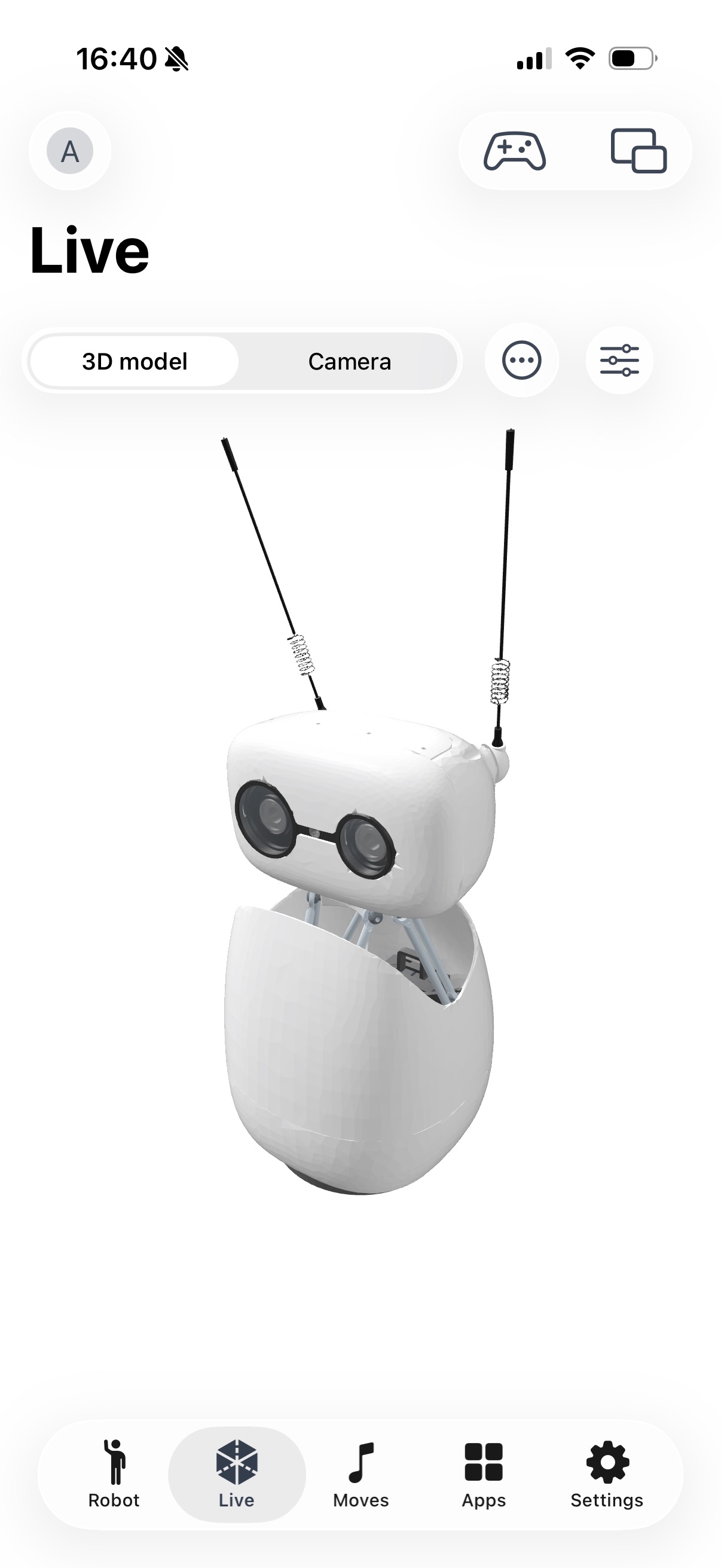
Live — the 3D twin, built from the robot's own URDF
-
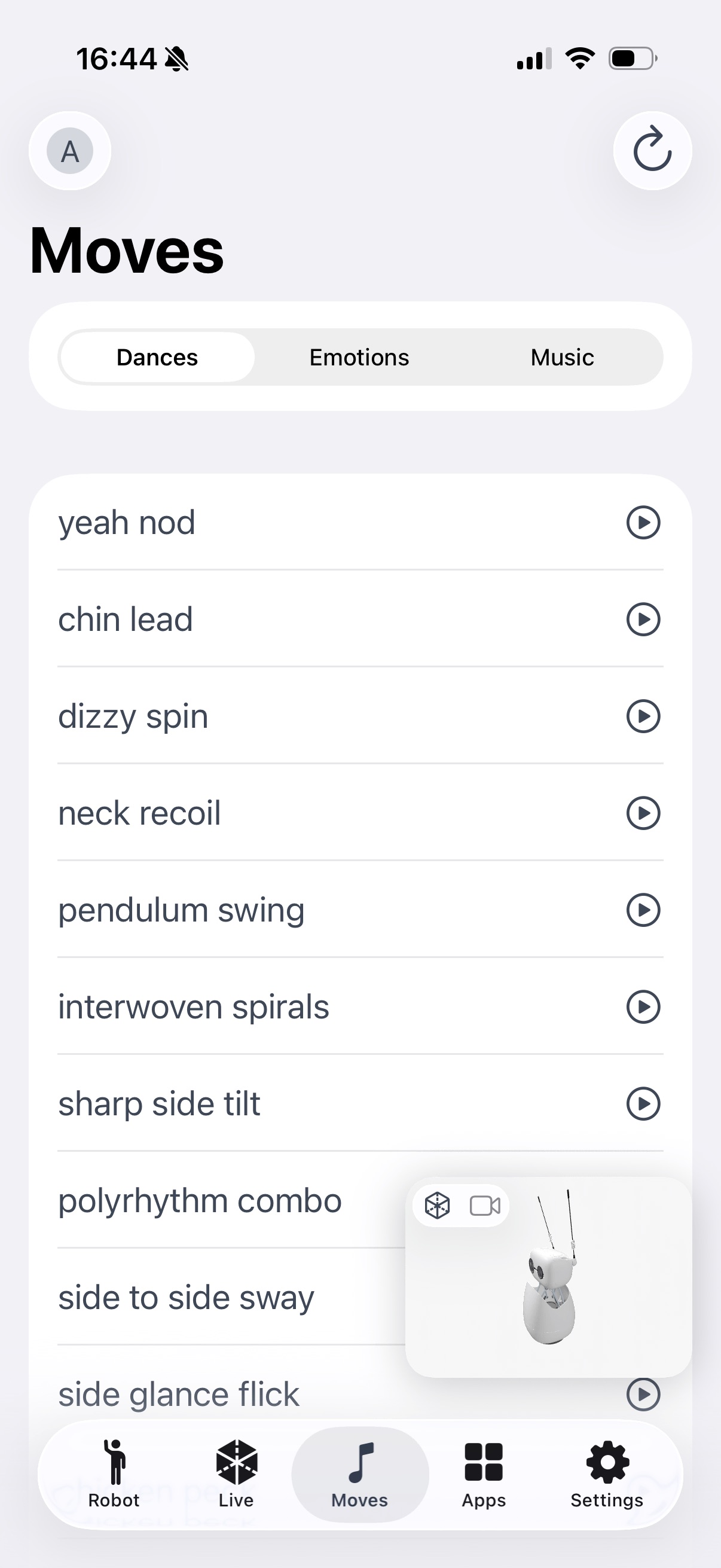
Moves — recorded takes, with the viewport floating over them
-
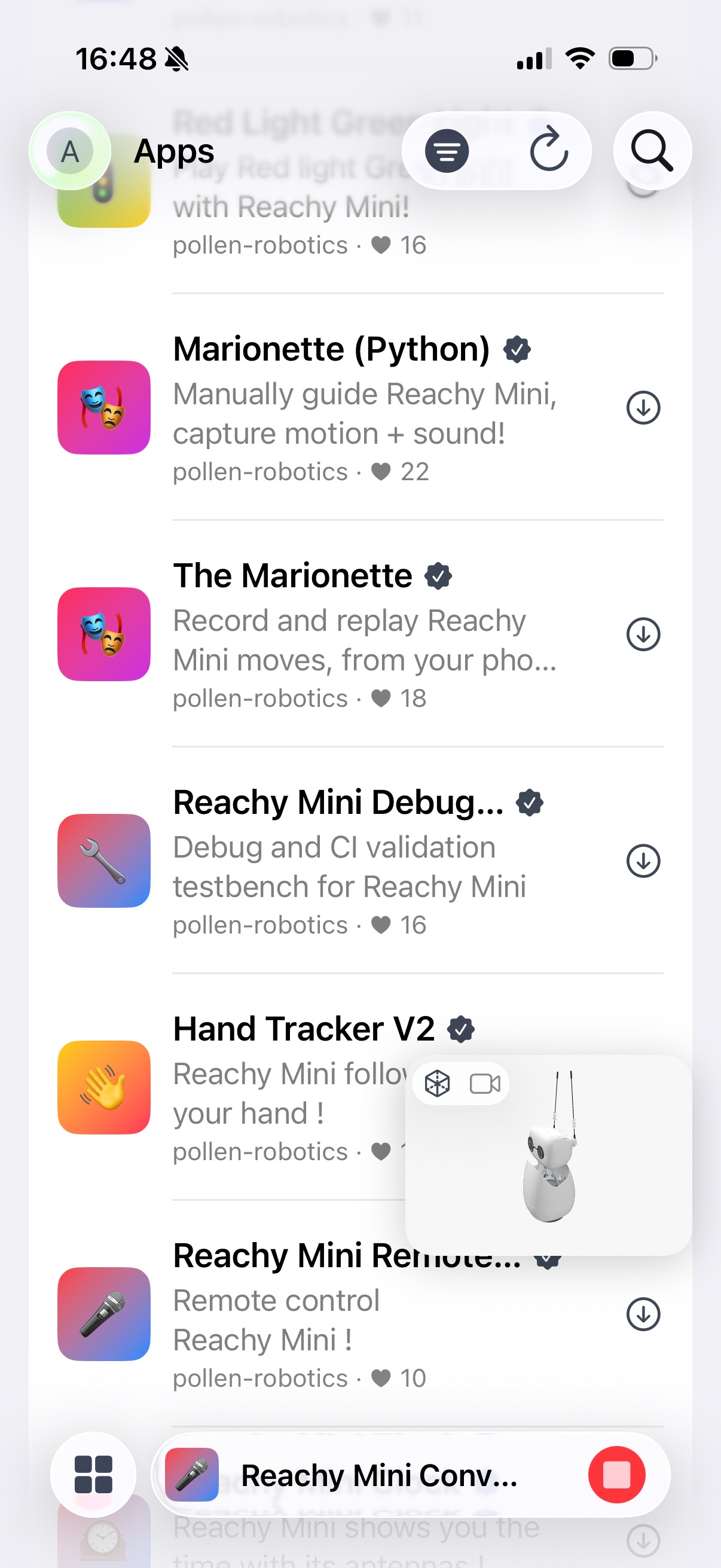
Apps — the catalogue, with the running app in the dock
-
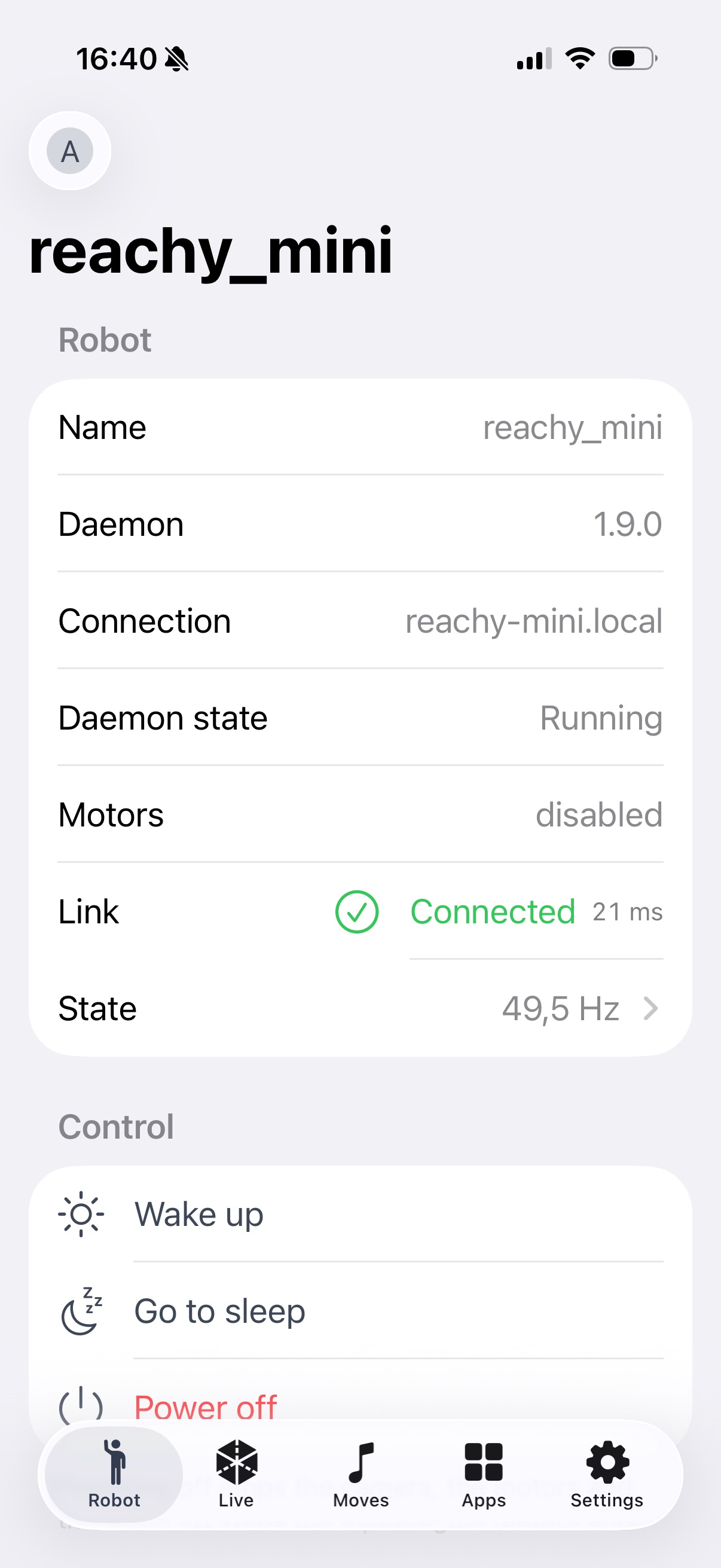
Robot — connected over the LAN: wake, sleep and power off
At home on your devices
-
Widgets
Status and apps on the Home Screen, and the status one on the Lock Screen and in StandBy as well. Both reach a Mac too.
-
Menu bar
On a Mac the robot sits in the menu bar: awake or asleep, one button to change it, and the installed apps underneath.
-
Control Center
On iPhone and iPad: power, a move or an app you choose yourself, a sound, and a button for stopping whatever is running — each one on the Lock Screen and the Action button too.
-
Siri and Shortcuts
Wake, sleep, power off, launch an app, play a move, or ask whether the robot is awake and what is running on it — and each of those can name which robot it means, so two Reachys on one desk are told apart.
-
Six themes
An accent colour and a matching app icon chosen as one decision, carried into the widgets too.
-
Five languages
English, German, Spanish, French and Russian.
Nothing is collected
There is no server on our side. The app talks to your robot on your own network and, if you choose to sign in, to Hugging Face with your own account. No analytics, no crash-reporting SDK, no advertising, no account with the developer.
A note on your network
The robot's daemon provides no authentication and no encryption of its own. Use Hey Reachy on a trusted private network or on the robot's own access point — never through a port forward or a public address.
For developers
Hey Reachy is Apache-2.0 and built on nine public Swift packages — transport and domain, WebRTC media, a
RealityKit scene, a robot simulator, the design tokens, the widget layer, SFTP, Hugging Face auth, and the UI
that composes them. ReachyKit is the only one a robot strictly needs, and the only one that pulls in
no UI framework.
.package(url: "https://github.com/alexey1312/reachy-mini-swift.git", branch: "main"),The daemon's OpenAPI spec is committed in the repository, the whole suite runs against a MuJoCo simulator with no hardware attached — or against the client's own, which needs no daemon either — and every SwiftUI preview is a recorded snapshot test.
Try it
iPhone, iPad and Mac are all on the App Store, under one purchase. The public TestFlight beta runs ahead of the release, and installing it needs Apple's TestFlight app. The Mac also ships outside the App Store: every release carries a notarized zip.
Download on the App Store Public beta on TestFlight Notarized Mac build