Top 3 Mac Apps for Efficient Work
Karabiner-Elements
Karabiner-Elements is a tool without which I cannot imagine my work. It’s a powerful tool that lets you redefine the actions of any keys, though I mainly use it to redefine the CapsLock key.
In macOS, you can’t use the Tab, Delete, F1-F12 keys, or the standard CapsLock key in shortcuts. However, with Karabiner-Elements, you can assign simultaneous pressing of Shift + Ctrl + Option + Cmd to the CapsLock key.
Here’s why you would use CapsLock:
- The key is very rarely used;
- Accidental presses can be annoying;
- Despite all this, the location of the key under the left hand’s little finger makes it very convenient;
Setting up Karabiner-Elements is also very simple:
- First, install Karabiner-Elements and grant all necessary permissions;
- Then, under the “Complex Modifications” tab, select “Add predefined rule”;
- In the window that opens, choose “Change caps_lock to command+control+option+shift” and click “Enable”;

PuntoSwitcher
PuntoSwitcher is the leader among the utilities I use daily. It solves the problem of typing in the wrong layout. Even if you are touch typing, PuntoSwitcher lets you effortlessly switch layouts without losing work tempo.
This tool allows you to instantly convert a text like “ghbdtn rfr ltkf?” into “hello, how are you?” using hotkeys.
| Example 1 | Example 2 |
|---|---|
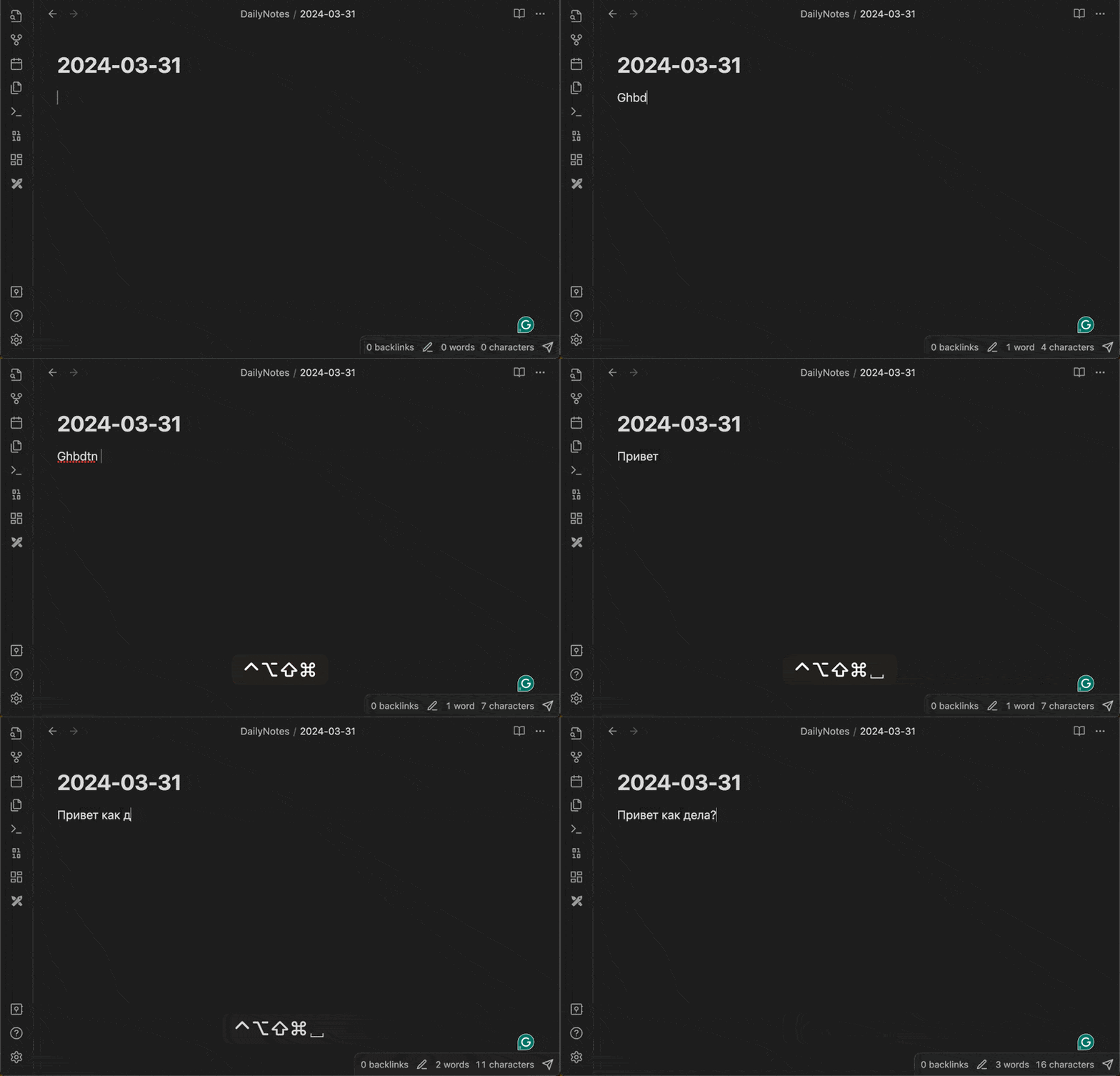 | 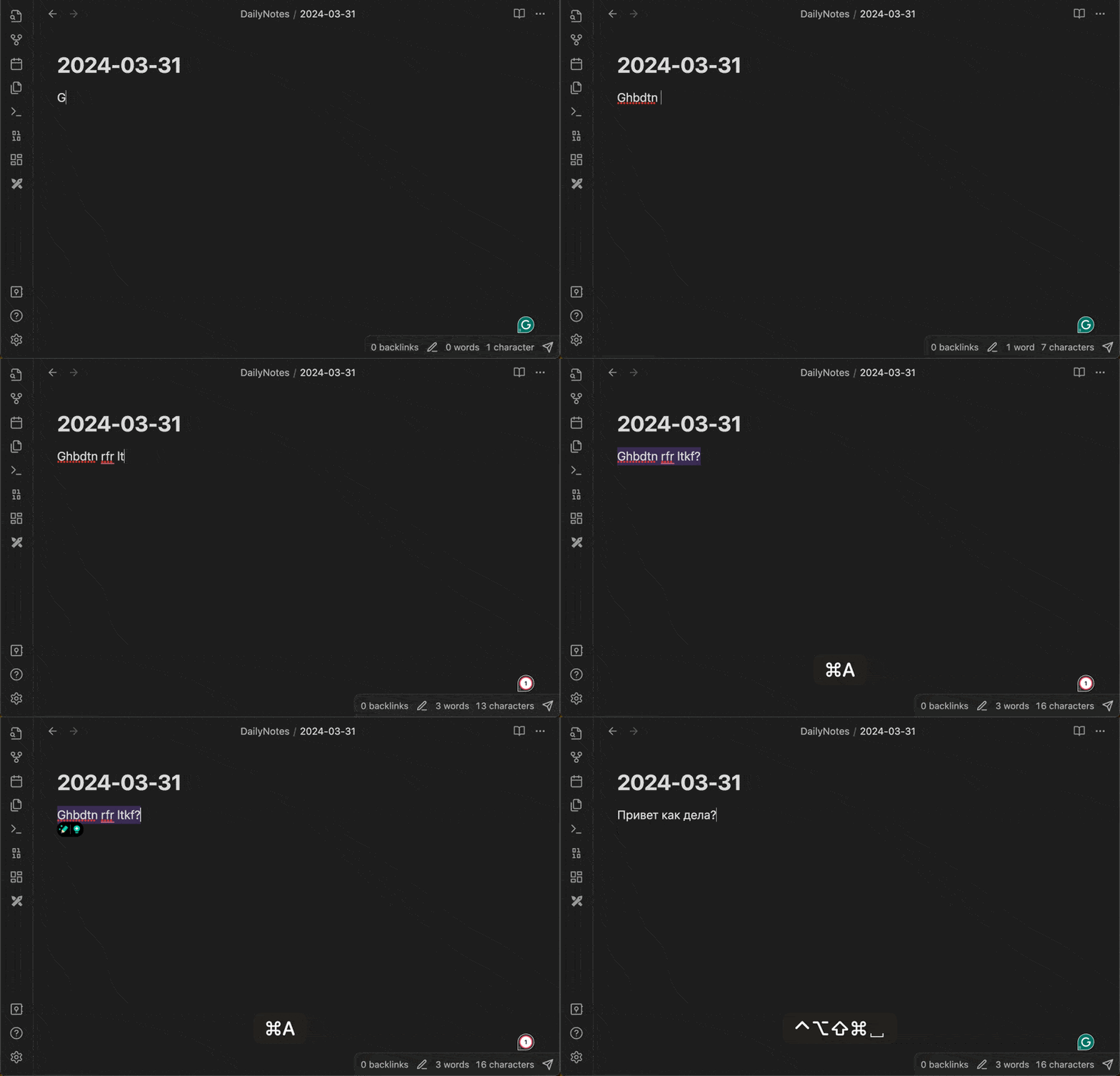 |
I use the combination of CapsLock+Space to switch the layout.
Setting up PuntoSwitcher is straightforward. Simply enable or disable auto-switching and assign hotkeys. You can also disable extra features if you don’t need them.
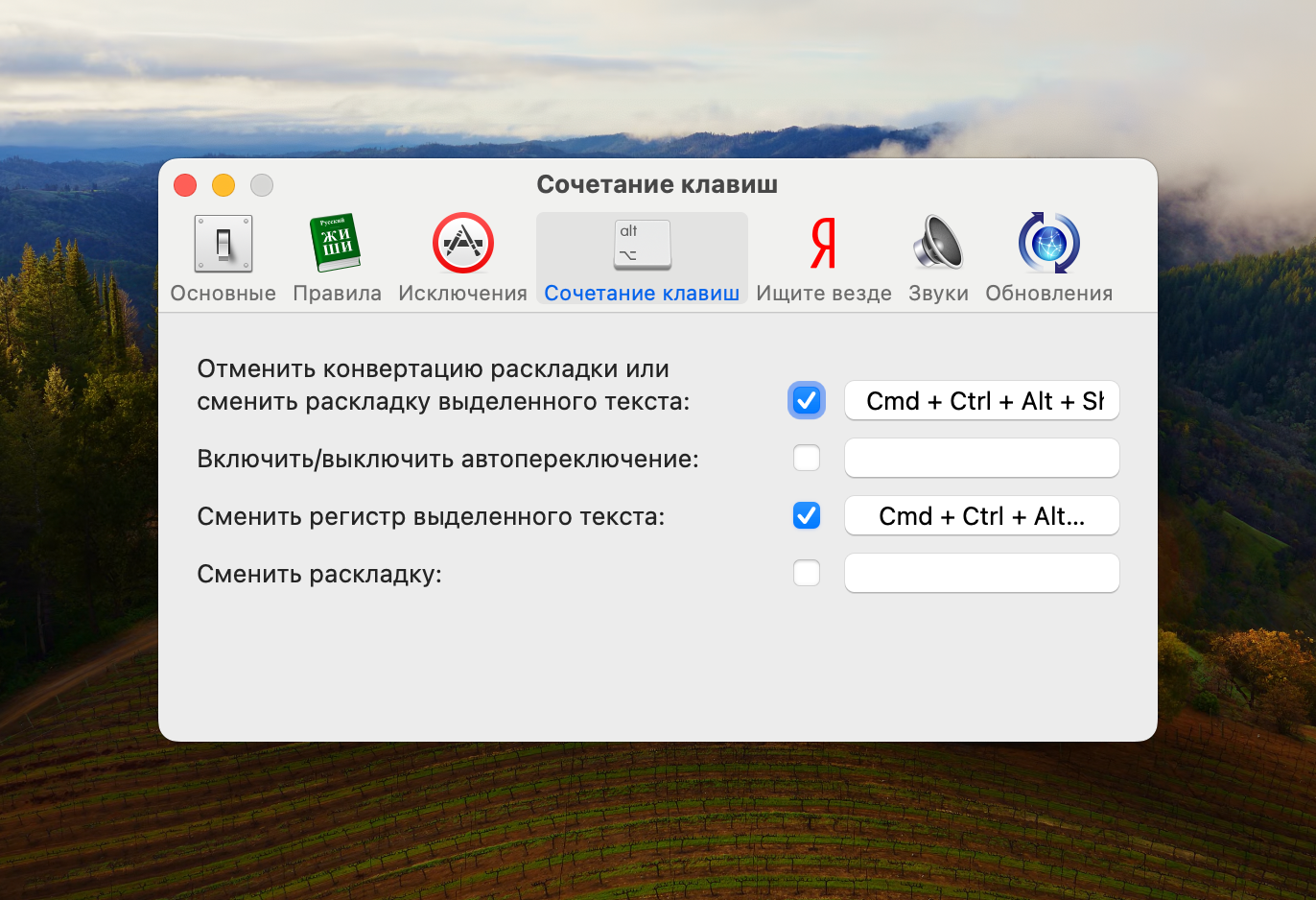
In new versions, the developers add various additional features, such as auto-replace or search in Yandex. While these features are not useful to me, they might be to others. It’s good that they can easily be switched off.
Raycast
A great replacement for the standard Spotlight, consider it a Spotlight on steroids. It has several killer features, without which, you will find yourself an incomplete Mac owner.
- It’s free. Unlike Alfred, where all the most interesting features are paid;
- Rich community, due to which, a huge number of ready-made extensions and scripts appear;
- Built-in Clipboard History, Window Management, Calculator 🤓 and much more;

Setting up Raycast is also straightforward:
- Download, install, grant all necessary permissions;
Disable the standard Spotlight call in system settings;
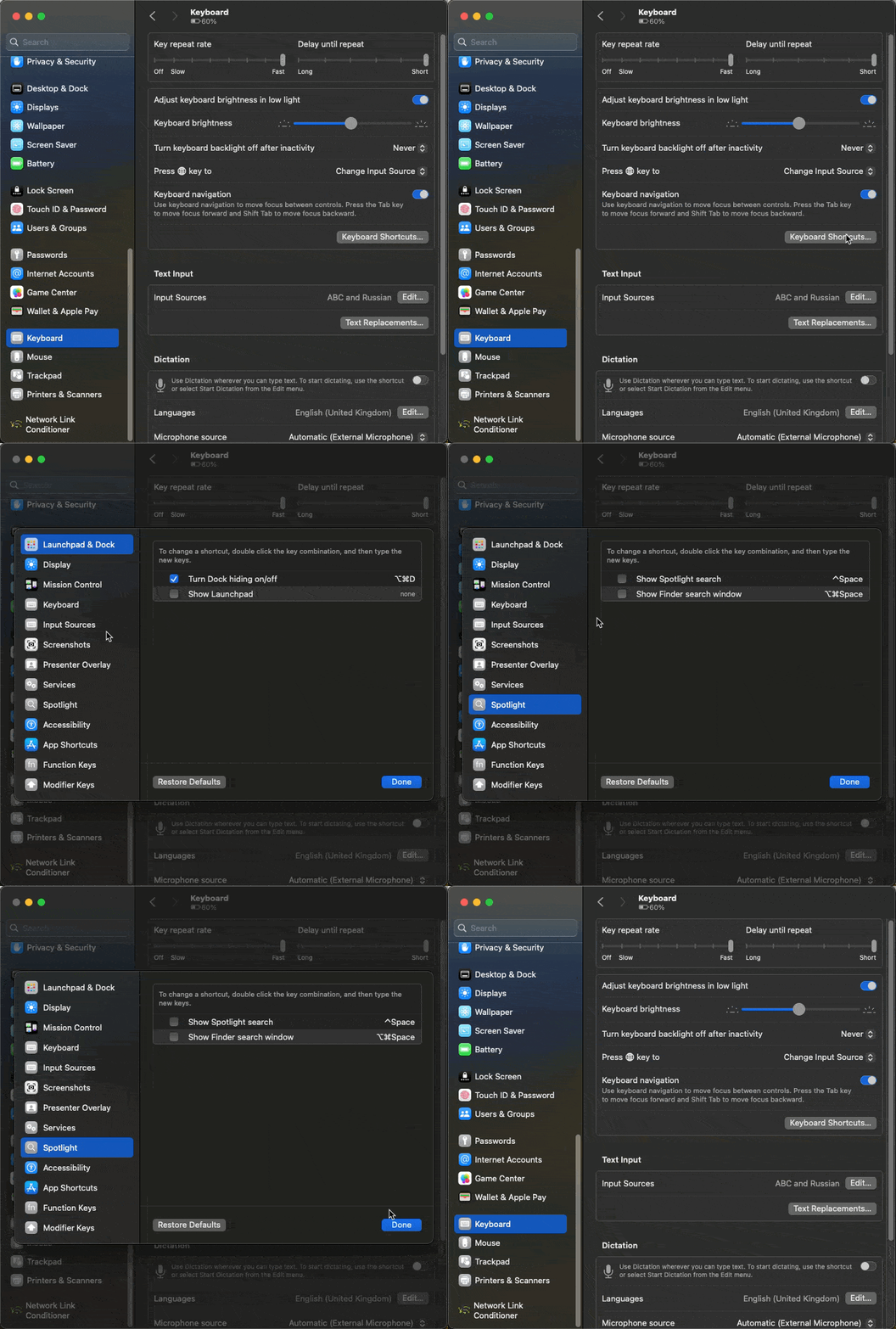
- Assign a hotkey for Raycast in settings, same as the one where the Spotlight was;
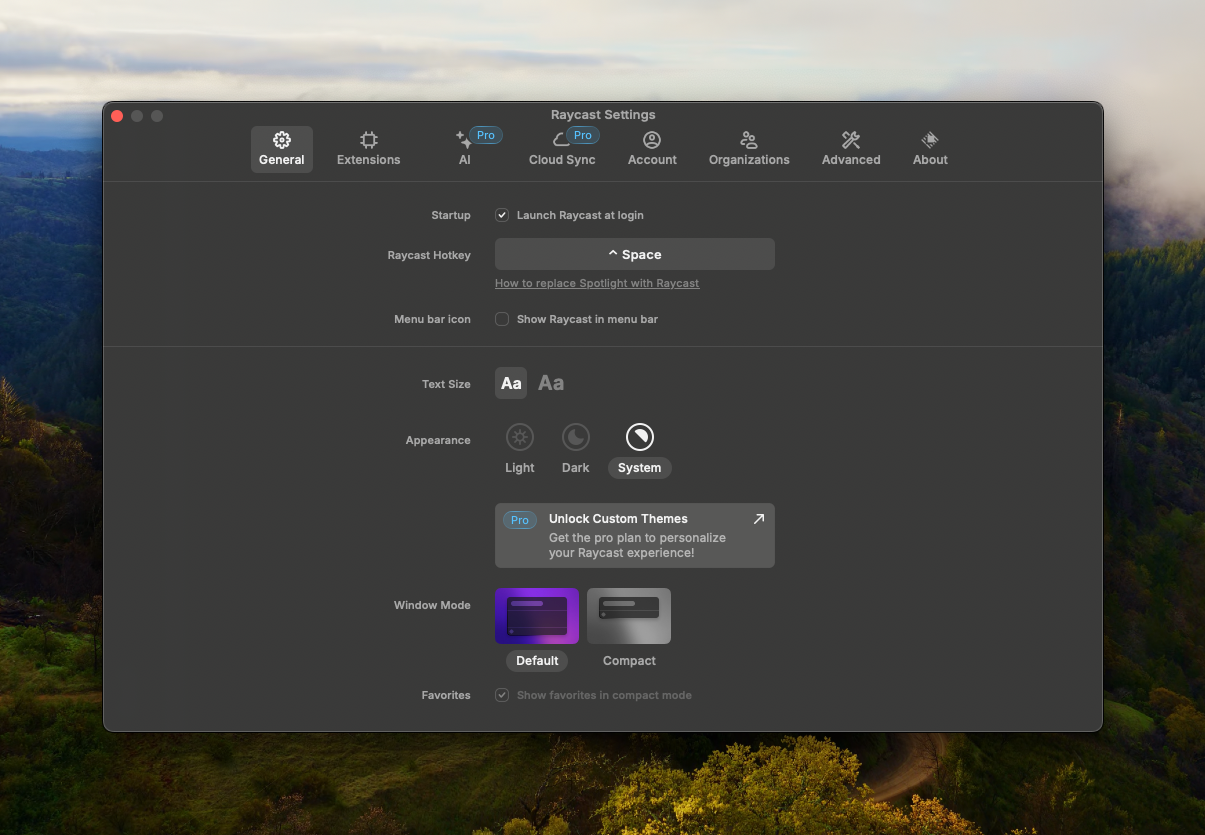
- Go through the onboarding;
What could be the title for this article